
How to Enter
Overview
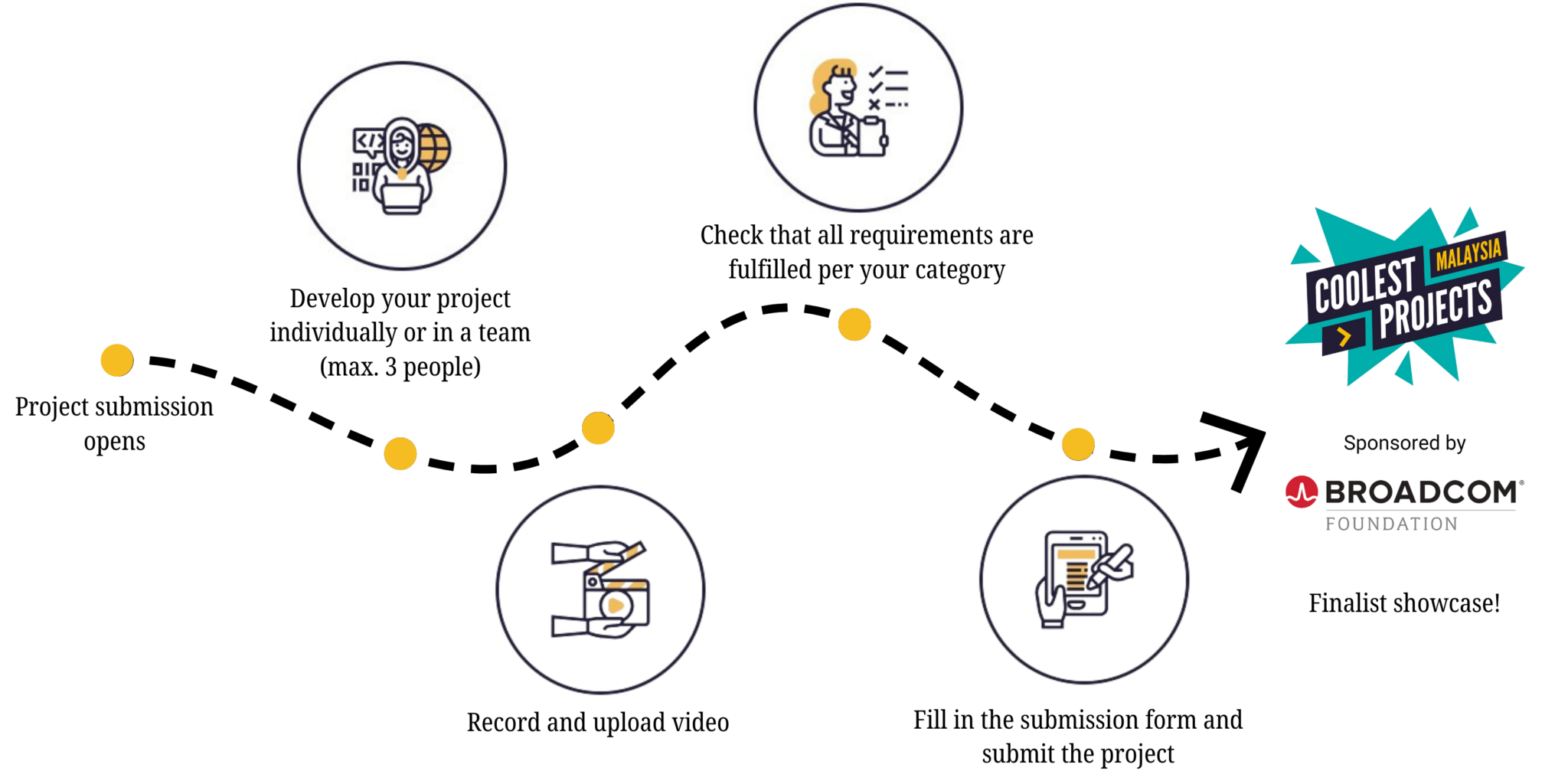
Things to Remember
- If you are under 13, please get help from a parent, guardian, or teacher to submit on your behalf.
- Participants can submit a project starting from __ May 2026 and will be judged on only one project–either individual or group.
- You may enter as an individual or as a team (max. 3 people).
- All projects must be submitted in English or Bahasa Malaysia. Videos with audio in Bahasa Malaysia must include embedded English subtitles.
- All projects and video submissions will be accessible to the public. Please ensure that you do not include any personal or sensitive information in your projects or videos.
- You must answer the three questions about your project. Please keep this in mind when recording your submission videos and double-check before submitting.
- Make sure you have the required project URLs ready when filling out the submission form, including your project link (for Visual Programming, Web, and Mobile App projects), video presentation link (required for all categories), and programming code file URL if applicable (required for Games projects and optional for Visual Programming, Hardware and Mobile Apps), so the judges can better understand your project.
- Top entries for each category will be invited to showcase their projects to our panel of judges to determine the winning entries. This session will be conducted in person.
- Please ensure that your project is original and not copied from someone else’s work.
- All participants are reminded to refrain from using any inappropriate, violent, and/or copyrighted content in their projects.
- Coolest Projects Malaysia is open to unfinished projects-just submit your project and showcase the parts that are working. Coolest Projects Malaysia is all about the experience and learning gained from participating and sharing what you have created.
Instructions
For Visual Programming Category
You will need
- A laptop, desktop computer, or tablet with internet access.
- The URL of your completed Visual Programming project.
- A device with the ability to record video.
How to submit your project
- Develop your project.
- Record a short video (no more than 5 minutes – content beyond 5 minutes will not be considered) that shows your project, and the code you used to build it. In the video, answer these three questions:
- Tell us about your project. Why did you choose to make it?
- What did you find difficult while making your project, and how did you work it out?
- Is there anything you would do differently or add if you had more time?
- Once you have completed your video, upload it to YouTube. Remember to disable comments on your uploaded video and set it to public.
- Once that’s successful, visit the submission page and complete the form. Remember to include the URL (link) of your project and video.
- It is optional to submit the project files in the submission form, to help the judges to understand your project better.
- If you would like to submit your project file, please refer to the steps here.
Quick checklist for Visual Programming projects
- Have you recorded and uploaded a video that answers the following questions on YouTube?
- Tell us about your project. Why did you choose to make it?
- What did you find difficult while making your project, and how did you work it out?
- Is there anything you would do differently or add if you had more time?
- Have you completed the submission form and included the URL of your Visual Programming project and the URL of your video?
For Web Category
You will need
A laptop, desktop computer, or tablet with internet access.
- The URL of your completed web project.
- A device with the ability to record video.
How to submit your project
- Develop your project.
- Record a short video (no more than 5 minutes – content beyond 5 minutes will not be considered) that shows your project and the code you used to build it. In the video, answer these three questions:
- Tell us about your project. Why did you choose to make it?
- What did you find difficult while making your project, and how did you work it out?
- Is there anything you would do differently or add if you had more time?
- Once you have completed your video, upload it to YouTube. Remember to disable comments on your uploaded video and set it to public.
- Once that’s successful, visit the submission page and complete the form. Remember to include your zipped web project (refer here) and video.
- Files needed:
- File 1: Zip your project files and upload them to the submission form.
- File 2: Note the URL of your website, hosted online.
Quick checklist for Web projects
- Have you recorded and uploaded a video that answers the following questions on YouTube?
- Tell us about your project. Why did you choose to make it?
- What did you find difficult while making your project and how did you work it out?
- Is there anything you would do differently or add if you had more time?
- Have you completed the submission form and included the URL of your website, the zipped web project, and the URL of your video?
Note:
- For primary school students, not all are expected to code their own websites, so they are allowed to use platforms like Canva, Google Sites, Wix, and similar tools.
- For secondary school students, using such platforms is not permitted, as they are expected to have more exposure and knowledge of coding.
For Hardware Category
You will need
- A laptop, desktop computer, or tablet with internet access.
- A device with the ability to record video.
- Hardware used in your project.
How to submit your project
- Develop your project.
- Make a short video (no more than 5 minutes – content beyond 5 minutes will not be considered), which shows us your project with your hardware and the code you used to make it. In the video, answer these three questions:
- Tell us about your project. Why did you choose to make it?
- What did you find difficult while making your project, and how did you work it out?
- Is there anything you would do differently or add if you had more time?
- Once you have completed your video, upload it to YouTube. Remember to disable comments on your uploaded video and set it to public.
- Once that’s successful, visit the submission page and complete the form. Remember to include the URL (link) of your video.
- It is optional to submit the project files in the submission form, to help the judges understand your project better.
- If you would like to submit your project file, please refer to the steps here.
Quick checklist for Hardware projects
- Have you recorded and uploaded a video that meets the following requirements on YouTube?
- Shows your project
- Shows your code
- Answer the following questions
- Tell us about your project. Why did you choose to make it?
- What did you find difficult while making your project, and how did you work it out?
- Is there anything you would do differently or add if you had more time?
- Have you completed the submission form and included the URL of your video?
For Games Category
You will need
- A laptop, desktop computer, or tablet with internet access.
- A device with the ability to record video.
How to submit your project
- Develop your project.
- Make a short video (no more than 5 minutes – content beyond 5 minutes will not be considered) that shows your project and the code you used to build it. In the video, answer these three questions:
- Tell us about your project. Why did you choose to make it?
- What did you find difficult while making your project, and how did you work it out?
- Is there anything you would do differently or add if you had more time?
- Once you have completed your video, upload it to YouTube. Remember to disable comments on your uploaded video and set it to public.
- Once that’s successful, visit the submission page and complete the form. Remember to include the URL (link) of your video and submit your project files in the submission form, to help the judges to understand your project better.
- To submit your project file, please refer to the steps here.
Quick checklist for Games projects
- Have you recorded and uploaded a video that meets the following requirements on YouTube?
- Shows your project
- Shows your code
- Answers the following questions
- Tell us about your project. Why did you choose to make it?
- What did you find difficult while making your project, and how did you work it out?
- Is there anything you would do differently or add if you had more time?
- Have you completed the submission form and included the URL of your video and your project file?
For Mobile Apps Category
You will need
- A laptop, desktop computer, or tablet with internet access.
- The URL of your completed Mobile Apps project.
- A device with the ability to record video (like a smartphone or webcam).
How to submit your project
- Develop your project.
- Record a short video (no more than 5 minutes – content beyond 5 minutes will not be considered) that shows your project and the code you used to build it. In the video, answer these three questions:
- Tell us about your project. Why did you choose to make it?
- What did you find difficult while making your project, and how did you work it out?
- Is there anything you would do differently or add if you had more time?
- Once you have completed your video, upload it to YouTube. Remember to disable comments on your uploaded video and set it to public.
- Once that’s successful, visit the submission page and complete the form. Remember to include the URL (link) of your project and video.
- It is optional to submit the project files in the submission form, to help the judges understand your project better.
- If you would like to submit your project file, please refer to the steps here.
Quick checklist for Mobile Apps projects
- Have you recorded and uploaded a video that meets the following requirements on YouTube?
- Shows your project
- Shows your code
- Answers the following questions
- Tell us about your project. Why did you choose to make it?
- What did you find difficult while making your project, and how did you work it out?
- Is there anything you would do differently or add if you had more time?
- Have you completed the submission form and included the URL of your Mobile App project and the URL of your video?
Ready to Submit Your Coolest Project?
Submit your project before ____ 2026